logo
HomeAbout
Services

App Development

  • Mobile App Development
  • iOS App Development

Website Development

  • Web Development

Digital Marketing

  • Digital Marketing
  • SEO Services Delhi
  • SEO Services
WorkBlogContact
Get a Proposal

Menu

Home→About→
Work→Blog→Contact→
Get a Proposal→
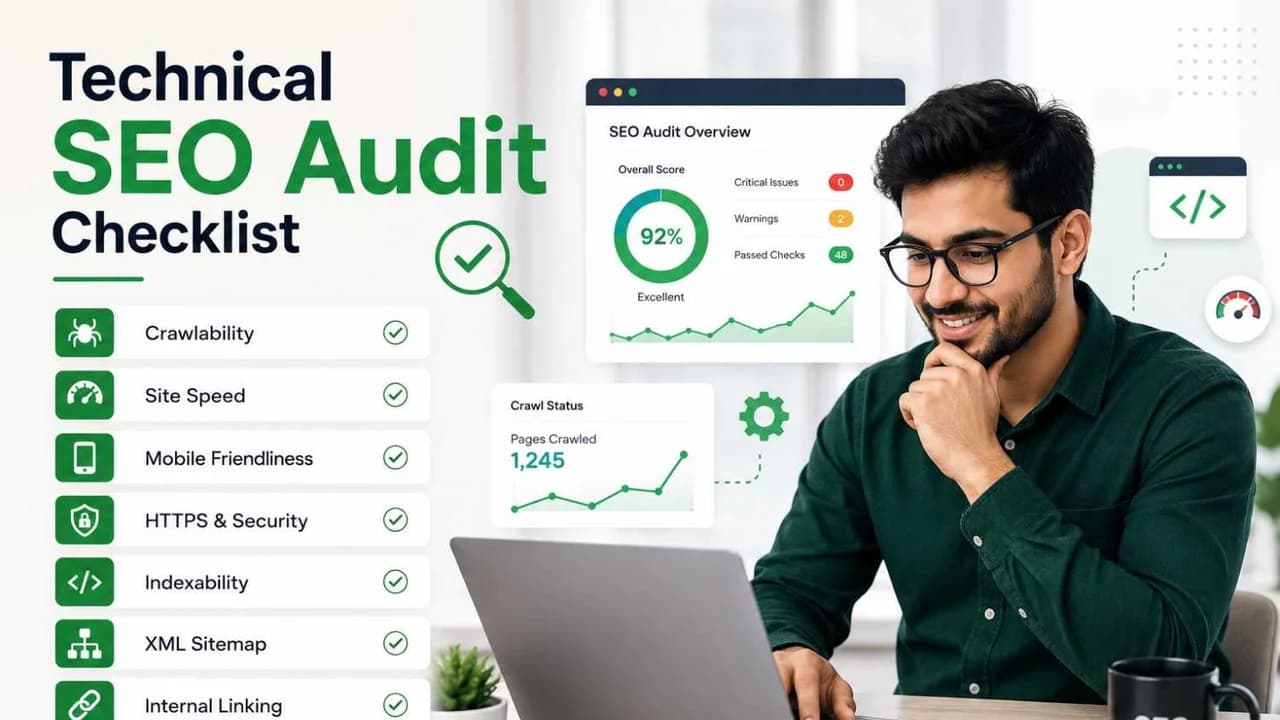
Home/Blog/Technical SEO Audit Checklist: The 6-Step Framework We Use Before Touching Any Client's Content
SEO Services|01 Jun 2026

Technical SEO Audit Checklist: The 6-Step Framework We Use Before Touching Any Client's Content

seo technical website

Free Consultation

Talk to Our Experts

Most SEO agencies jump straight to content and backlinks. We don't.

Before we write a single word or build a single link for any client, we run a complete technical SEO audit manually, step by step, across 6 areas. This isn't because we enjoy checklists. It's because we've learned the hard way that content and links built on a broken technical foundation don't just underperform they actively waste your budget.
One client came to us with 12,000 backlinks tracked on Semrush, decent content, and a backlink profile their previous SEO intern had spent months building. Traffic on Semrush: zero. Ranking keywords: 2. The content existed. Google was even discovering the URLs. But Google couldn't fetch the content on the pages a rendering failure that made every blog post, every service page, invisible to the algorithm. All that content. All those links. Wasted, because step 2 of this checklist was broken.
This is the exact audit framework we run. Every client. Every time.

Why Basic Technical SEO Is the Most Underrated Part of the Job

Before we get into the checklist, here's the opinion most agencies won't say out loud: you don't need fancy tools to find 80% of technical SEO problems. Google Search Console and Screaming Frog will surface almost everything that matters. The businesses paying ₹30,000/month for enterprise SEO platforms are often doing it to feel productive not because the tool is finding things the basics miss.
In 9+ years of running SEO audits for 500+ Indian businesses, the majority of critical issues we find are discovered with free or near-free tools. What separates a good audit from a bad one isn't the software. It's knowing what to look for and in what order.
That order matters because Google itself processes your website in a strict sequence: it has to be able to crawl a page before it can render it. It has to render it before it can index it. And indexing is just the beginning Core Web Vitals, schema, and site structure determine where you rank once you're in the index.
If any step in that sequence is broken, everything after it is irrelevant.
Here's the checklist, in the exact order we use it.

Step 1: Crawling- Can Google Access Your Pages?

The first question in any audit: is Google able to crawl your site without hitting unnecessary barriers?
What we check:

robots.txt -

This file tells Google what it's allowed and not allowed to crawl. The most common mistake we see: accidentally blocking CSS, JS, images, or entire category paths. A robots.txt that blocks /css, /js, or /images means Google crawls your pages without the styling and scripts needed to render them properly. We also watch for wildcard blocks like /*category?id= that block entire parameter-based URL structures.

XML/TXT Sitemap -

 Your sitemap should only contain URLs you want indexed: canonical, indexable, returning a 200 status. The limits are 50,000 URLs or 50MB per sitemap file. We check that query parameters are excluded, that canonicalised URLs aren't submitted, and that every URL in the sitemap is actually crawlable. A bloated sitemap with 404s and redirects is a crawl budget drain.

Crawl Budget -

For sites with 50,000+ URLs, crawl budget becomes a real constraint. Google won't crawl every page on every visit. We check which pages are being crawled most frequently and whether Google is wasting crawl budget on low-value URLs paginated pages, filtered product variants, internal search results.
Log File Analysis This is where most audits stop short. Screaming Frog's log file analyser (or any log parser) shows you exactly which pages Googlebot visited, when, and how often. We look for three bot types: spam bots, AI crawlers, and legitimate search engine bots. If Googlebot is spending time crawling /wp-admin or parameter URLs that shouldn't exist in the first place, that's crawl budget going to waste. We pull the last 30 days of logs minimum.

Redirections -

We map every redirect using Screaming Frog and cross-reference with Google Search Console. Redirect chains (A → B C) slow crawling. Redirect loops break it. Both are more common than they should be on Indian business sites that have gone through multiple developers or CMS migrations.
Step 2: Rendering — Can Google See What's on the Page?
Crawling and rendering are not the same thing. This distinction cost one of our clients 8 months of traffic.
The client had invested in content. Their previous team had built backlinks. Semrush was showing 12,000+ backlinks tracked. But when we audited the site, we found that Google was discovering the URLs  and stopping there. The actual content on those pages wasn't being fetched. Zero traffic. Two ranking keywords. Everything else: invisible.
The cause was a JavaScript rendering failure. The site's content was loaded client-side via JS, and Googlebot which renders JS in a separate, delayed queue was indexing empty page shells instead of the actual content.

What we check:

URL Inspection Tool (GSC) - The single most important tool for rendering diagnosis. For any page you suspect has a rendering problem, run it through URL Inspection and click "View Crawled Page." If what you see there doesn't match what a user sees in their browser, you have a rendering problem. This is where we found our client's issue.
Disable JS in the browser - A quick manual check: open the page with JavaScript disabled. What you see is roughly what Google sees on its first crawl pass (before deferred JS rendering). If your content disappears when JS is disabled, it's JavaScript-dependent and needs SSR (Server Side Rendering) to be reliably indexed.
<a href> link structure Internal links built with JavaScript event listeners (onClick) instead of standard <a href> tags are not reliably followed by Googlebot. Navigation, category links, and pagination all need proper anchor tags to pass crawl signals through the site.
For the client mentioned above: once we identified the rendering failure and moved the site to server-side rendering, Google could finally read the content. Traffic went from zero to 2,500 sessions per month within two months.

Step 3: Indexing - Is the Right Content Getting Into Google's Index?

A page being crawled and rendered doesn't guarantee it's indexed. Indexing is a deliberate decision Google makes — and there are four common reasons it chooses not to index a page.
What we check:

Canonical tags -

Canonicals tell Google which version of a URL is the "master." The most common mistake: pages that canonicalise to a different URL than themselves without realising it, causing Google to defer to the wrong page. We check that canonical tags point to the correct live URL, are consistent across paginated versions, and match the sitemap entries.

Hreflang -

For sites targeting multiple regions or languages (increasingly common for Indian businesses with UAE or UK audiences), incorrect hreflang implementation causes Google to serve the wrong version to the wrong audience. We verify that hreflang tags are bidirectional if page A points to page B, page B must point back to page A.

Noindex tags -

We scan every page for <meta name="robots" content="noindex"> tags. These should only appear on pages you genuinely don't want indexed: thank-you pages, admin pages, duplicate content. We regularly find noindex tags left on pages by developers who forgot to remove them after staging  blocking entire blog sections or service pages from Google's index.

Index bloat-

Too many low-value pages in the index dilutes the authority of pages that matter. We look for: thin pages, duplicate content from URL parameters, automatically generated tag and category archive pages, and pages with near-identical content. For one e-commerce client, we found 4,000+ auto-generated filter URLs in Google's index none of which had any search volume, all of which were splitting crawl budget and diluting category page authority.

Step 4: Core Web Vitals - How Does Google Measure the Experience?

Since Google's Page Experience update, Core Web Vitals are a confirmed ranking factor. More importantly, they directly affect whether users stay on your page after clicking which affects bounce rate, which feeds back into rankings.
What we check:

Lab Data vs Field Data

Lab data (from PageSpeed Insights, Lighthouse) shows performance under controlled conditions. Field data (from Chrome User Experience Report, available in GSC) shows real performance across real users on real devices and connections. In India, where a significant percentage of users are on mid-range Android devices with 4G connections, field data often looks significantly worse than lab data. We prioritise field data it's what Google uses for ranking.

Page type segmentation

Core Web Vitals vary dramatically by page type. A homepage, a category page, a product page, a blog post, and a checkout page all have different content weights and interaction patterns. We audit each page type separately: Home, Category/Collection, Sub-category/Hub pages, and individual content pages. Fixing only the homepage while category pages score 28/100 is a common audit blind spot.
The benchmark we work toward: LCP under 2.5 seconds, CLS under 0.1, INP under 200ms. Across our client portfolio, the average site coming in for a first audit scores LCP 5.2–6.8 seconds on mobile. Post-optimisation average: 1.8–2.3 seconds.

Step 5: Schema - Is Google Getting Structured Context?

Schema markup is how you communicate directly with Google about what your content means not just what it says. A product page with correct schema tells Google: this is a product, it costs ₹X, it has Y reviews, it's in stock. Without schema, Google has to infer all of this from the page content and it often gets it wrong.
What we check:

Right type of schema for each page-

The most important check. Every page type has an appropriate schema: Article or BlogPosting for blog content, Product for product pages, LocalBusiness for location pages, FAQPage for FAQ sections, BreadcrumbList for navigation, Service for service pages. We audit whether each page has schema, and whether it's the right type.

Correct format -

Google supports three schema formats: JSON-LD (recommended), Microdata, and RDFa. JSON-LD is the easiest to implement and maintain — it lives in the <head> and doesn't require touching the HTML structure. We look for format errors, missing closing brackets, and duplicate schema implementations that conflict with each other.

Correct and sufficient information-

Schema with missing required fields is worse than no schema it triggers Google's Rich Results Test errors and can actively prevent rich snippets. We check that every schema block contains all required properties for that type, and that the information in the schema matches what's visible on the page. Mismatches between schema and on-page content are flagged as deceptive by Google.

Step 6: Site Structure — Does Google Understand Your Content Hierarchy?

Site structure determines how crawl authority flows through your site and how Google understands the relationship between your pages. A flat, well-organised structure passes authority from high-authority pages (homepage, pillar pages) down to deeper content. A disorganised structure creates orphan pages — pages with no internal links pointing to them, which Google rarely crawls and almost never ranks.
What we check:

Internal linking depth 

Important pages should be reachable within 3 clicks from the homepage. Pages buried 6–8 levels deep rarely accumulate enough crawl signals to rank for competitive terms.

Orphan pages -

Pages with zero internal links pointing to them. Common on blogs where old posts are never linked from newer content.

Anchor text distribution-

Internal links should use descriptive, keyword-relevant anchor text. "Click here" and "read more" pass no contextual signal.

URL structure-

Clean, readable, keyword-relevant URLs. No dynamic parameters in URLs that should be static. Consistent use of hyphens (not underscores) as word separators.
Pagination handling — Paginated content (blog page 2, 3, etc.) should use proper rel="next/prev" or load-more patterns, not create thin duplicate pages.

The Case for Doing This Before Anything Else

The client we mentioned earlier had 5,000+ spammy backlink domains built by their previous SEO intern fabricated links that triggered Google's spam signals on top of the rendering failure. When we identified this, we immediately built a disavow file and submitted it through Google Search Console. The disavow alone took two months to show positive movement.
Total recovery timeline: two months from disavow submission, another month for rendering fixes to fully propagate. The end result: from 2 ranking keywords and zero traffic to 500+ ranking keywords and 2,500 monthly sessions.
None of that recovery would have been possible if we'd done what most agencies do written more content and built more links on top of a broken foundation.
The technical audit is not the glamorous part of SEO. It doesn't produce content you can show a client. It doesn't generate a report full of keyword opportunities. But it is the part that determines whether everything else you do actually works.
Run the crawl check. Then rendering. Then indexing. Then Core Web Vitals. Then schema. Then structure. In that order, every time.

How Much Does a Technical SEO Audit Cost?

Since you're likely also searching for "SEO audit cost" or "SEO audit pricing" — here's a transparent answer.
At Nitai Technologies, a full technical SEO audit covering all 6 areas above with documented findings, prioritised fix list, and a 60-minute walkthrough call starts from ₹15,000 for small business sites and goes up to ₹45,000+ for e-commerce sites with 10,000+ URLs, multiple page types, and complex JS frameworks.
What that includes: crawl analysis via Screaming Frog, log file review (last 30 days), full GSC audit, Core Web Vitals segmented by page type, schema validation, and site structure mapping with internal link audit.
What it doesn't include: implementation. Fixing the issues is a separate engagement — though for most sites, the highest-priority fixes can be handed directly to any competent developer with our documented report.

More articles

View all →
mern stack development website
Website Development04 Jun 2026

MERN Stack in 2026 - What Business Owners Should Know Before Building Their Website

Read article →
flutter app development company in india
App Development29 May 2026

Flutter App Development in India: Cost, Timeline, and How to Hire the Right Company in 2026

Read article →
web portal development service company
Website Development22 May 2026

How to Choose the Right Web Portal Development Company for Your Business in India

Read article →
Head Office
Springhouse, B-1, 639 A, Block B1, Janakpuri, New Delhi, Delhi – 110058, India
+91 9211245458
Quick Contact

Get in touch with us instantly through WhatsApp or Email

WHATSAPPEMAIL

GOOGLE

★★★★½4.7

CLUTCH

★★★★½4.6

GOODFIRM

★★★★½4.8
Nitai Technologies

A digital marketing agency focused on full-funnel business growth. Connecting branding with visibility, traffic, lead generation, and revenue growth.

GET IN TOUCH

+91 9211245458info@nitaitechnologies.com

Services

Web DevelopmentDigital MarketingSeo ServicesMobile App DevelopmentIOS App DevelopmentSmall Business SEO

About

Join Our TeamHelp CenterOffers & DiscountCredit Card PaymentINR Payment LinkRefund Policy

© Nitai Technologies OPC Pvt Ltd